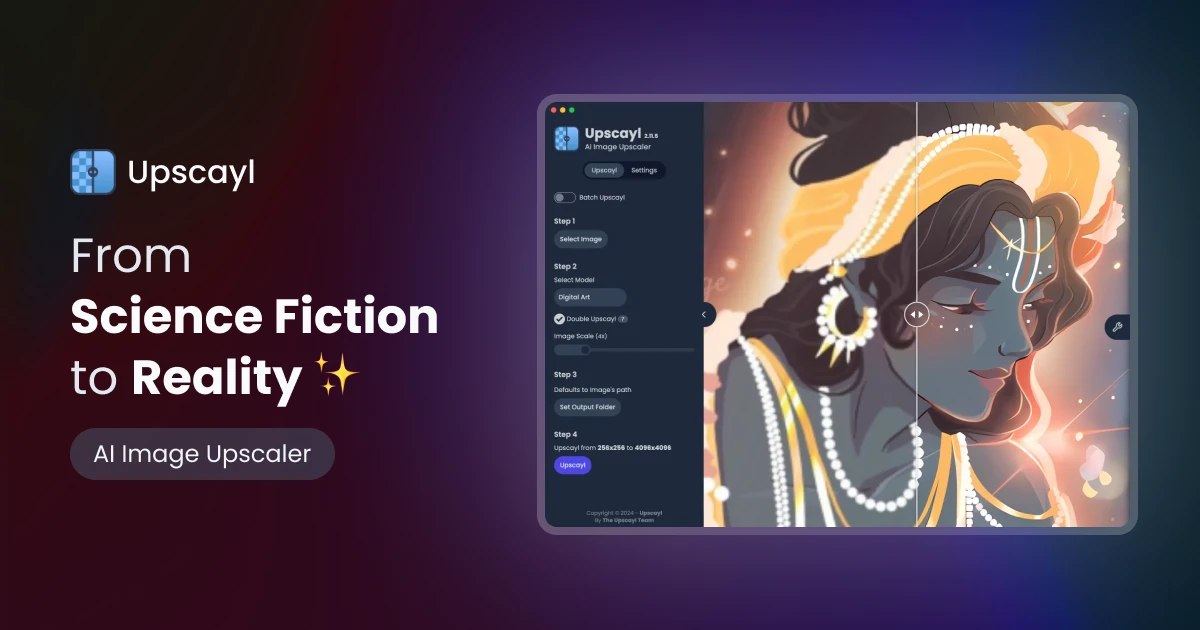
Upscayl is a free desktop app that enlarges images with local AI models. No upload, no subscription, no watermark. I use it for screenshots, old photos and images that arrived too small for a page.
What it does
You give it a small picture; it returns a larger one, rebuilds edges and smooths compression artifacts. The scale is 2x or 4x, the format stays PNG, JPG or WebP. It is not magic: it invents pixels that look plausible, not pixels that were there.
Why local matters
The image never leaves the machine. That matters for client work, private photos and anything under NDA. There are also no credits and no queue: a folder of screenshots runs while you do something else.
Five steps
- Install Upscayl and let it download the models once.
- Pick the input folder and the output folder. Keep them separate, or you will overwrite the originals.
- Choose a model. For photos start with the general one; for screenshots and digital art try the sharper variants.
- Set 2x or 4x and the output format. PNG for work, JPG for the web.
- Run the batch, then compare at 100%. If edges look plastic, try another model or 2x instead of 4x.
Models
The app ships several Real-ESRGAN variants. They differ in how much texture they add and how they treat noise. There is no universal best: run the same image through two or three and keep the one that survives a zoom.
Where it fails
Text, logos, icons and floor plans. Upscaling guesses edges, and a guessed letter is a wrong letter. Vector art and UI screenshots are better re-exported from the source. Forensic detail cannot be recovered at all: a blurry plate stays a blurry plate, just larger.
Hardware and limits
It wants a GPU with Vulkan support. On an old laptop a batch of 4x images will crawl, and a large folder can eat RAM. Start with ten files, not a thousand.
When not to use it
If you have the original, use the original. If the image is a logo, rebuild it as SVG. If the goal is a smaller file, resize instead. Upscaling is for the case where the only copy is small and the page needs it bigger.
It is also free and open source, which is rare for an AI tool that runs on your own hardware. That alone earns it a place in the toolkit.
What I do with the output
Upscaled images go back into the page at the size the layout needs, not at 4x. I keep the original and the upscaled copy side by side for a week; if nobody notices the difference, the original stays.
Questions I get
Does it work offline? Yes, models are local after the first download.
Can it fix a blurry face? It makes it sharper, not identifiable. Do not use it as evidence.
Is a GPU required? It wants Vulkan; without it the app is impractical.
Can I batch a folder? Yes, that is the main reason to use it over a web tool.
Where Upscayl fits
It is not a replacement for a camera or a good source file: garbage in, smooth garbage out. For screenshots and old photos it saves an evening. The project is open source - Upscayl on GitHub - so the models and the build are visible, and Upscayl stays free for the work I do.
Batch mode handles a folder, not a queue of one.
Files keep their names, so the folder stays in the order you left it.
Related reading: Password manager: five years with Bitwarden and Beginner developer roadmap: where to start.